
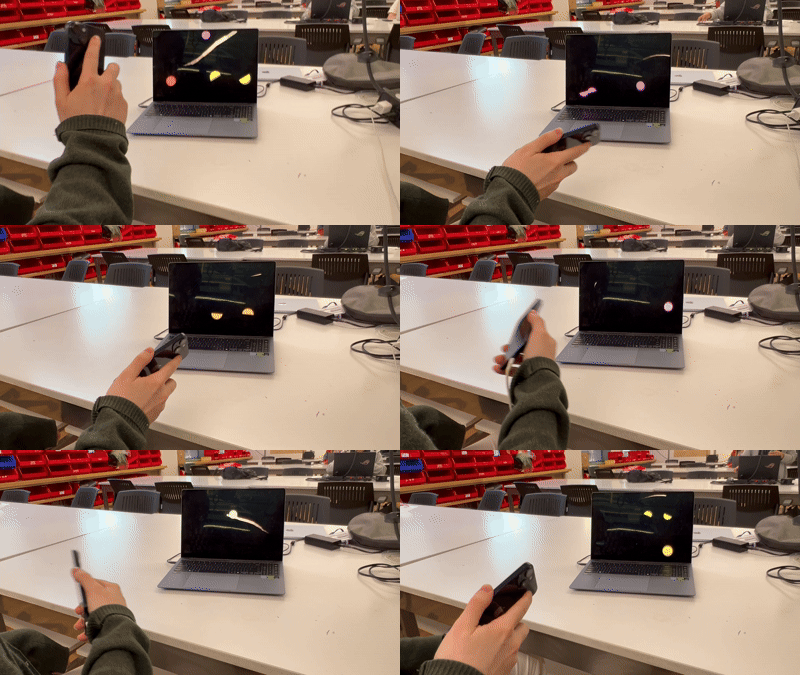
Bi-directional communication between a JavaScript app (such as a P5.js sketch) and another program or device has never been easier!
P5.js is among the most popular and accessible creative coding platforms and has served as an entry point to the world of interactive art for countless creative individuals, myself included. It has just one singular weakness: it runs primarily in a browser context. The major benefit of such web-art should not be understated; thanks to the internet, creative Javascript libraries like p5 and three.js require no third-party software to create and distribute a sketch. The downside of browsers is that they are isolated contexts by design, they offer very limited tools for connecting your sketch to the “outside world”. We should ultimately be thankful for this – imagine if any website you visited could send or receive data with other devices on your home network – but we must also acknowledge the limitations that this imposes on web-based art, whose user experience has to be mainly contained within the browser window.
By contrast, non-browser-based creative multimedia tools like TouchDesigner, Max/MSP and even hardware platforms like Arduino have much more options available to them. One such option is OSC, a protocol for sending variable-length information between a wide variety of different programs which would otherwise be largely incompatible. OSC single-handedly enables the creation of an infinitely large variety of projects that leverage not just a single platform, but a combination of them. For example, you can overcome TouchDesigner’s limited audio processing options by running a Max/MSP patch alongside it and synchronizing the 2 processes by having them pass important data between them in real-time. You can wirelessly bridge the digital and physical worlds by using a microcontroller or even a repurposed smartphone as a handheld (or wearable!) remote for a digital or physical installation or performance. With OSC and other similar networking protocols, any given creative multimedia tool no longer needs to comprise an entire project, it can be a single component of a larger network that makes use of multiple tools, leveraging the best features of each.
This brings us back to the web browser which, due to being incompatible with protocols like OSC for the security reasons mentioned earlier, is unfortunately largely exempt from these benefits of networked technologies. Solutions do exist for this issue that involve running servers and other custom software, but they are quite technical and intimidating, especially for the same beginner/hobbyist communities which tools like P5.js seek to embrace and empower. The solution to this is OSC Bridge, a relatively simple program that launches any P5 sketch or other formerly browser-based art project as a standard full-screen computer application with just a single click. You download the app, put your project files into a dedicated folder, run the app, and watch your project open in a dedicated full-screen window.
Aside from offering a professional-feeling appearance and launch process, the OSC Bridge app also provides a JavaScript API for sending and receiving OSC messages from anywhere, directly in your sketch. Control your sketch remotely from a smartphone, use libraries like ML5 to use your sketch as a powerful machine-learning-enabled interface for a kinetic sculpture, or try out any other combination of multimedia tools!
See the GitHub repo for installation instructions and more in-depth documentation.